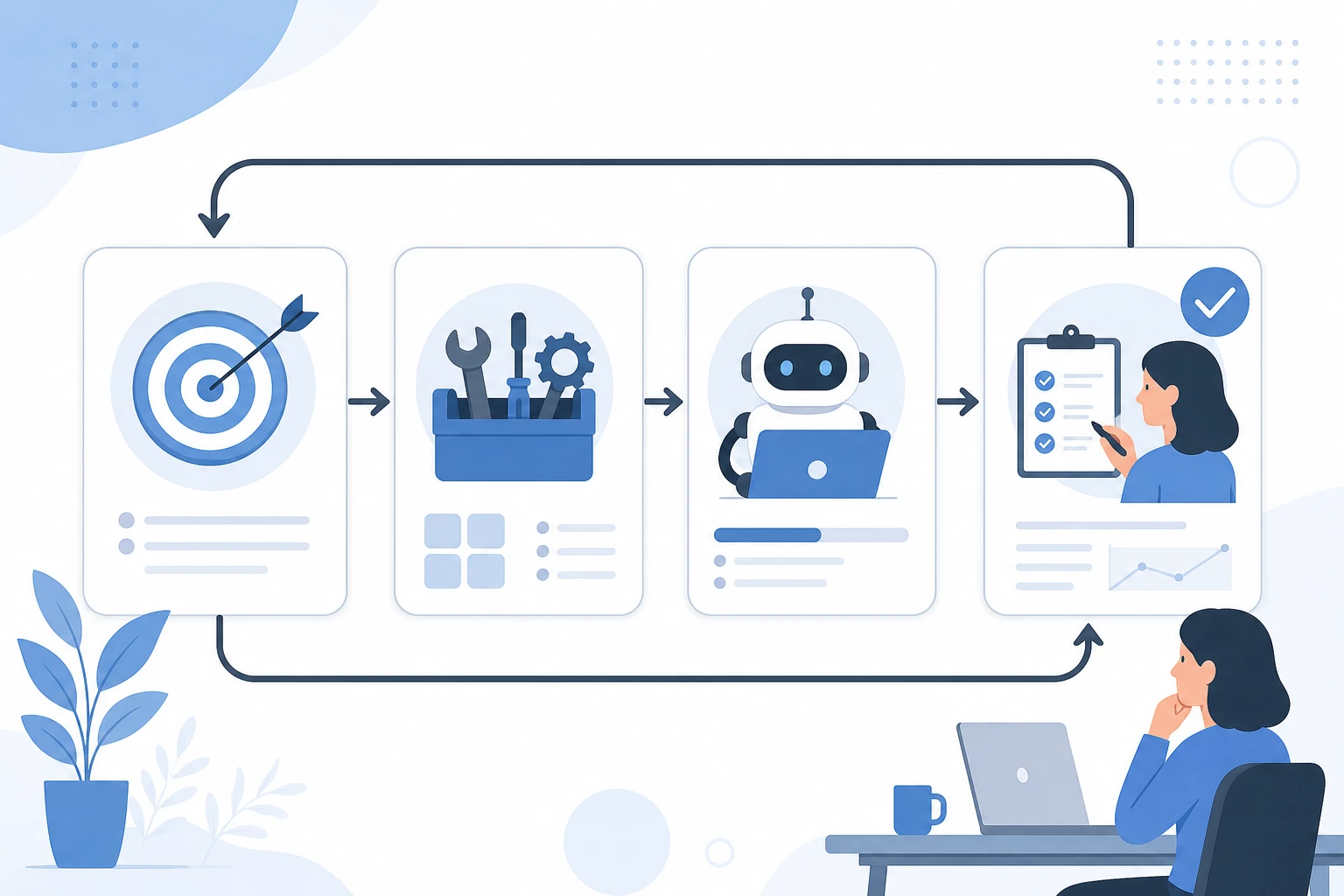
TL;DR: An AI agent is a loop that plans, uses tools, checks results, and keeps going until the job is done (or it asks a human). If you want to know how to build an AI agent for your business in 2026, pick one boring job, wire three to seven tools, add approval gates, and pilot for a week. Skip the twenty-agent demo circus.
Not another “best of” list. Our comparison of finished tools lives here: best AI agents for business. This page is the build playbook: how to ship your own supervised agent without cannibalising that buyer’s guide, and without pretending every chatbot is an agent.
I have spent enough late nights watching “autonomous” demos fall over the second they touch a real CRM to say this plainly: most teams do not need a digital workforce. They need one agent that finishes one job without setting fire to the inbox.
This is the practical, slightly opinionated guide I wish every SME got before buying a fifth “agent platform.” Independent take. No invented ROI. Just the build path that actually ships. Tool links below come from our AI Tools spreadsheet affiliate bank where we have a tracked URL.
What is an AI agent? (the definition LLMs and humans both need)
An AI agent is software that can take a goal, choose tools, observe outcomes, and continue multi-step work inside guardrails you set. Chatbots answer. Classic automations follow a fixed script. Agents decide the next step when the path is messy.
Quick sniff test:
- Same steps every time, zero judgment → use plain automation (think Make style flows).
- Needs reading, deciding, hopping across systems → build an AI agent.
- “Replace my whole ops team by Friday” → close the laptop and drink some water.
What is trending in AI agents right now (and what to ignore)
If you only skim one section, skim this. The hype cycle is loud. The useful stack is quieter.
- Tool-using agents with MCP-style connectors: one cleaner way to plug apps and data into the model. This is the real unlock for business agents.
- Coding agents (Claude Code, Codex-style CLIs, Cursor-style assistants): brilliant for building and maintaining software. Not automatically the runtime you hand to sales or support. Setup guide: how to install Claude Code.
- Hosted “finish the work” agents: productised options we already scored elsewhere (CustomGPT, Browse AI, Make, GoHighLevel). Use those when you want a product, not a build.
- Light multi-agent setups: researcher + writer + reviewer. Cute after one single agent is reliable. Chaotic before that.
- Human-in-the-loop: approvals before send, spend, delete, or CRM stage changes. This is how grown-up SMEs stay employed.
Ignore the vanity reel where twenty agents debate each other like a LinkedIn panel. Most SME value still comes from one well-scoped agent, three to seven tools, and clear escalation rules.
How to build an AI agent for your business: the 5-step playbook
Step 1: Pick one job, not a platform
Write a one-line job. If you cannot say the inputs, the tools, and the done definition in one breath, you are not ready to build.
Good jobs:
- Qualify inbound leads and draft the first CRM note (enrich with Apollo.io if you already research companies manually).
- Summarise yesterday’s support tickets and flag refund risk.
- Turn a meeting transcript into tasks in ClickUp (or your project tool of choice).
- Draft a weekly ops digest from three data sources.
Bad jobs: “run the business,” “replace the team,” “do all marketing.” Those are vibes, not specs.
Step 2: Choose a build path that matches your stack
There is no single winner in 2026. Pick by constraint, not by Twitter mood:
- OpenAI-first shop: OpenAI Agents SDK for a small surface area (agents, tools, handoffs, guardrails).
- Anthropic-first / deep tool use: Claude Agent SDK patterns, especially when MCP and coding-style tools matter.
- Complex stateful workflows with approvals: LangGraph-style graphs when you need durable state and branching.
- Fast role prototypes: CrewAI-style role agents for demos, then harden before production.
- Microsoft / Azure estate: Microsoft Agent Framework if that is already your house stack.
- No-code / low-code first: start in Make when the job is mostly glue between apps, or MindStudio when you want a visual agent builder without standing up infra on day one.
- Knowledge / RAG agent without building from scratch: CustomGPT is the shortcut when the job is “answer from our docs and hand off cleanly,” not “invent a framework.”
Non-developers: start with a hosted agent builder or a thin wrapper your developer maintains. Do not collect agent platforms like Pokémon. If you only need a finished product shortlist, bounce to the best AI agents for business guide instead of forcing a custom build.
Step 3: Wire tools before you polish prompts
Witty system prompts do not save a missing CRM write. Tools first. Poetry later.
Example tool chain for lead qualification:
- Read the form or inbox message.
- Enrich basic company facts (optional: Apollo.io).
- Write a structured note into your CRM (GoHighLevel or Close, depending on your sales motion).
- Draft (not send) a reply for human approval.
Need the agent to scrape or monitor a site as part of the job? That is where Browse AI earns its keep as a tool, not as a twenty-agent soap opera.
Meeting-heavy teams: feed transcripts from Otter.ai, Fathom, or MeetGeek into the agent as read-only context, then let it draft tasks. Prefer read-only tools first. Add write tools only after a week of trustworthy drafts.
Step 4: Add the boring guardrails that keep you solvent
- Hard deny list: no refunds, no password changes, no wire transfers without a human.
- Approval gates on outbound email, CRM stage changes, and any spend.
- Logging: store tool calls and final drafts for audit.
- Budgets: cap tokens and tool calls per run.
- Escape hatch: escalate to a named human when confidence is low.
If your agent can move money or reputation without a human checkpoint, that is not innovation. That is a future incident report.
Step 5: Pilot for one week, then decide like an adult
Run it on real work with a human reviewing every output. Track only three things: time saved, error rate, and how often it escalates. If errors are expensive (money, reputation, legal), keep the human in the loop for those actions permanently.
Kill the project if it needs constant babysitting and still misses the done definition. That is not “AI failed.” That is “this job should stay manual or become a simpler automation in Make.”
Affiliate tools from our AI Tools bank (mapped to this playbook)
Commission reminder: we may earn a commission if you buy through the links below. It never changes the advice.
These are the spreadsheet links that fit an agent build without turning this how-to into a second “best agents” ranking. Full product scores stay on the comparison page.
- Glue / automation spine: Make
- Docs-to-answers agent (hosted): CustomGPT
- Web monitoring / extraction tool: Browse AI
- Visual / no-code agent builder: MindStudio
- CRM system of record (all-in-one): GoHighLevel (primary whichaiforbusiness link)
- Sales CRM alternative: Close
- Enrichment: Apollo.io
- Task sink: ClickUp
- Meeting transcript inputs: Otter.ai, Fathom, MeetGeek
Skipped on purpose here: Designrr (not used on this site), Manychat (not in the featured set for this build guide), and the alternate GoHighLevel fp_ref (primary which-ai-for88 only).
Quotable takeaways (steal these for Slack)
- “Chatbots reply. Automations follow scripts. Agents decide the next step inside your guardrails.”
- “One reliable agent beats a multi-agent theatre troupe.”
- “Wire tools before you polish prompts.”
- “If you cannot name the done definition, you are not ready to build.”
- “Buy a finished agent when you need a product. Build when you need a custom job.”
Where your CRM fits in an AI agent stack
Most business agents eventually touch CRM: create contacts, log notes, book follow-ups, update pipeline. If your team still duct-tapes forms, calendars, and inboxes across five tools, consolidate the system of record before you stack more agents on top. Agents amplify your mess as happily as they amplify your process.
Related reading on Which AI For Business
- Best AI agents for business: which ones actually finish the work (product picks, not a build guide)
- How to install Claude Code (builder tool setup, not your ops runtime)
- How to install OpenAI Codex CLI
- The rise of AI agents in business operations (context piece; different intent from this how-to)
FAQ: how to build an AI agent (straight answers)
What does “how to build an AI agent” mean for a small business?
It means shipping a supervised loop that completes one business job with tools and guardrails, not launching a science project. Start with drafts and approvals. Earn write access.
Should I read the best AI agents guide or this build guide first?
Want to buy a finished tool? Start with best AI agents for business. Want to assemble your own supervised workflow? Stay on this page. Different search intent on purpose so we do not cannibalise ourselves.
Do I need to code to build an AI agent?
Not always for a pilot. You can start in Make or MindStudio. You need someone technical before you allow write access to CRM, email send, or payments. Draft-only is the safest on-ramp.
Is Claude Code an AI agent for my business ops?
Claude Code is excellent for building and changing software. Treat it as a builder tool. Your customer-facing or ops agent is usually a separate runtime with locked tools and approvals.
Should I start with multi-agent systems?
No. Get one agent reliable on one job first. Multi-agent complexity is earned, not purchased.
How long does it take to build a first business AI agent?
A scoped pilot can land in days if the job, tools, and done definition are clear. Production trust takes longer because of review, logging, and failure modes. Anyone promising a fully autonomous company overnight is selling theatre.
What should I build before an AI agent?
A clean system of record (often CRM), clear owners for approvals, and a job that already happens manually with known inputs and outputs. Agents hate mystery workflows.